How to Render a Black Hole: Raytracing in Curved Spacetime
I was always curious about how the images of black holes came to be. I knew how to derive the Schwarzschild metric and how to solve the geodesic equations from the General Relativity lectures I took. Yet I never tried creating the full image.
I set out to build a raytracer (gr_raytracer) that is as generic as possible: new geometries can be added and geodesic equations can be solved in different ways, while the overall raytracing logic stays the same. At its core, a component takes a ray with a 4-position ($x^\mu$) and a 4-momentum ($p^\mu$) and integrates it into a trajectory (a sequence of positions and momenta). This integration step is the shared foundation across all geometries.
Those rays are then checked for intersections with objects and assigned a color.
But let us first look at what makes a raytracer in curved spacetime special.
Raytracing
One big difference is that in Euclidean geometry it is simple to define a ray as
\[\mathbf{x}(t) = \mathbf{x}_0 + t\, \mathbf{d}\,.\]Here, the parameter $t$ is a simple curve parameter. In the Euclidean case, this simple form allows closed-form intersection tests with various objects like triangles or spheres. We could just set up a ray belonging to a pixel on the camera and check for all possible intersections. Reflections and illumination by separate lights are not covered here. The General Relativity raytracer computes emission from surfaces and gas, attenuation along the ray, and light from the background sky, using quantities such as temperature or a texture.
In General Relativity, the photon paths are null geodesics. Their standard geodesic equation uses an affine parameter $\lambda$; proper time cannot parameterize a photon’s path because it is zero along a null trajectory. The implementation can also use an equivalent formulation: for example, the separated Kerr solver uses Mino time, a reparameterization related to the affine parameter.
The basic concept is shown in Figure 1, where we have a pinhole camera that collects light. To compute this, the algorithm traces rays backwards from the camera toward the sources of the arriving light. The simple surface example stops at an opaque object; transparent material can contribute light along the path. We treat the visible objects as emitting their own light. Each ray is assigned a pixel on the screen based on where it crosses the corresponding part of the image plane.
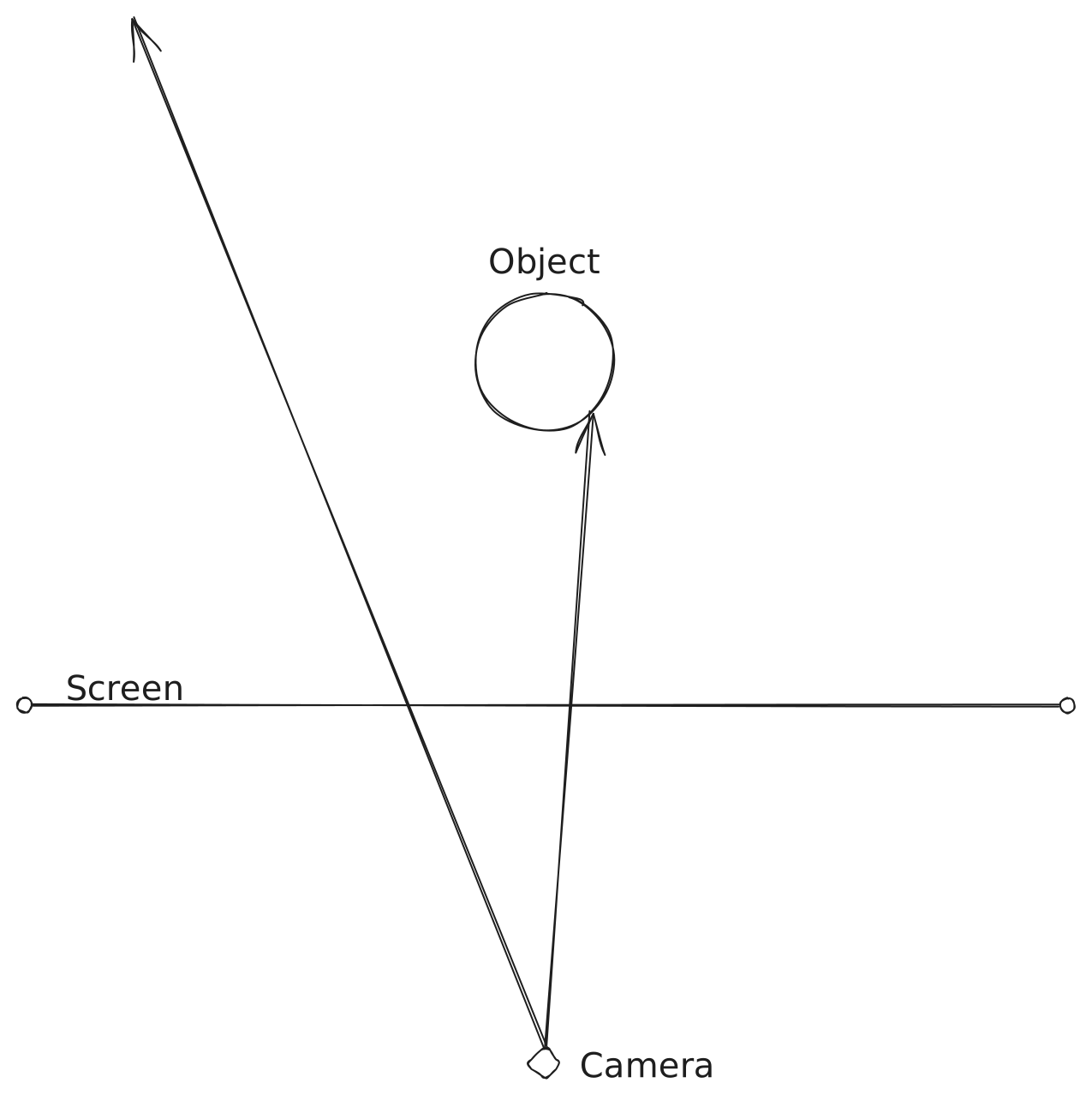
Figure 1: Raytracer Euclidean
With a raytracer in a curved space, this will look different. Let’s look at an example with a Schwarzschild black hole. Note that these are not correct trajectories but just an illustration to show the principle.
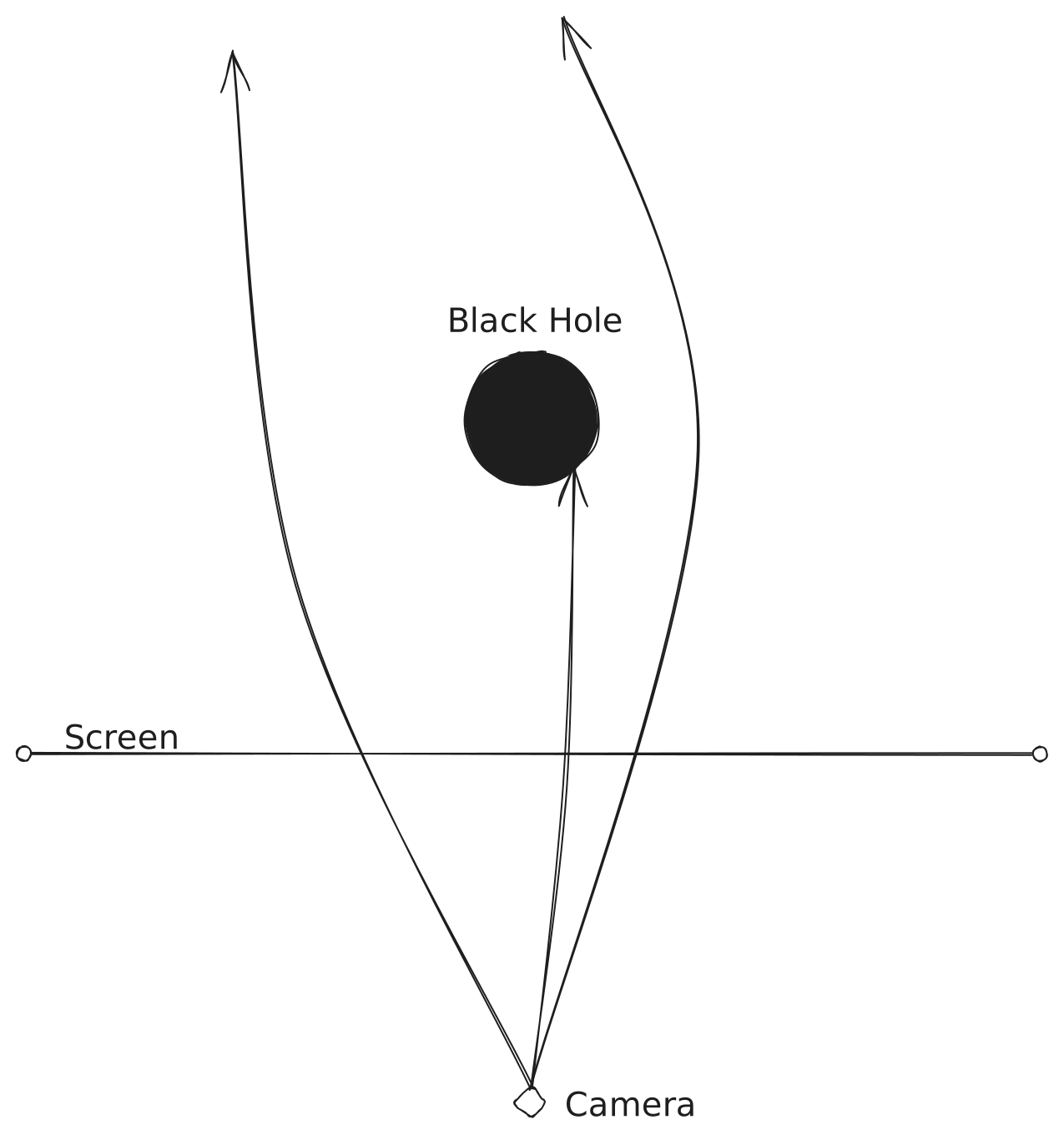
Figure 2: Black Hole Raytracer Illustration
These trajectories are given by the geodesic equations:
\[\frac{d^2x^\mu}{d\lambda^2} + \Gamma^\mu_{\alpha\beta} \frac{dx^\alpha}{d\lambda} \frac{dx^\beta}{d\lambda} = 0\]As mentioned, more details about them will come in later posts. This also means we cannot just directly compute intersections via simple algebraic formulas, but must instead step along the geodesic, checking for intersections at each discrete interval. For this, a numerical integration method has to be used. In this case, it is an adaptive Runge-Kutta-Fehlberg (RKF45) method.
The Pipeline
The renderer writes linear RGB values to HDR images, or applies exposure, tone mapping, and sRGB encoding for PNG output. It uses rayon, a Rust parallelism library, to parallelize the computation. A pixel can use multiple rays through adaptive sampling; catalogue stars also require the pixel’s footprint on the distant sky. Each ray goes through the integration stage. The resulting trajectory is then analyzed for surface intersections and emission and attenuation through volumetric objects. These contributions are composited to produce the pixel color.
The integration stage accepts a geometry definition, which provides the geodesic equations to be integrated. More details about that will come in later posts.
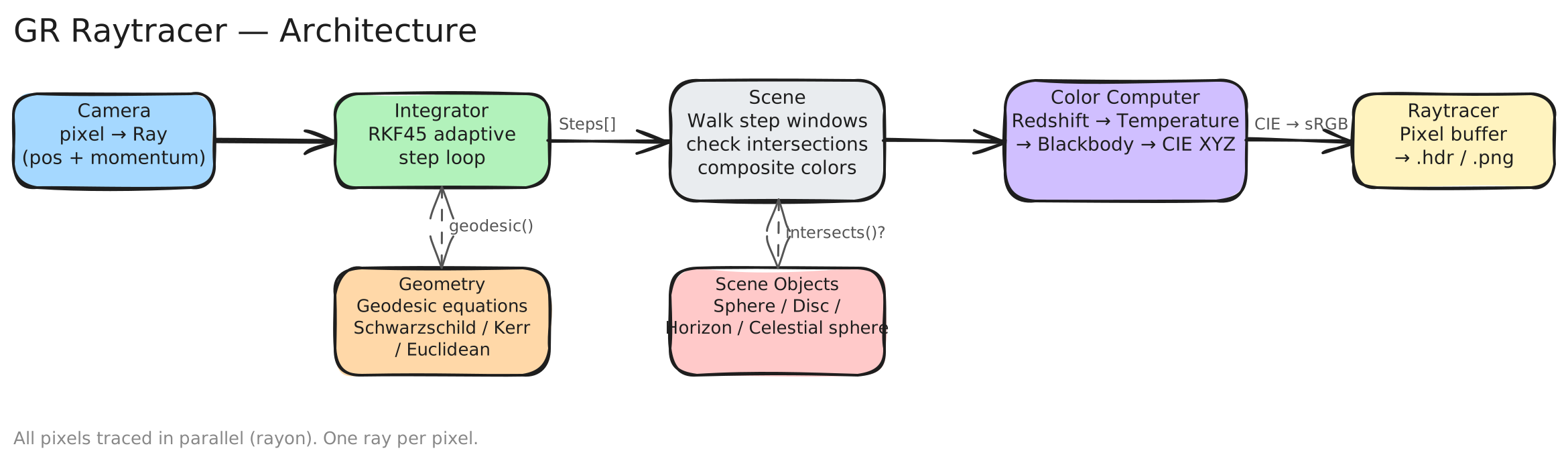
Figure 3: Raytracer Architecture
Example Result
The final result of a render of a near-extremal Kerr black hole with an accretion disk looks like this:
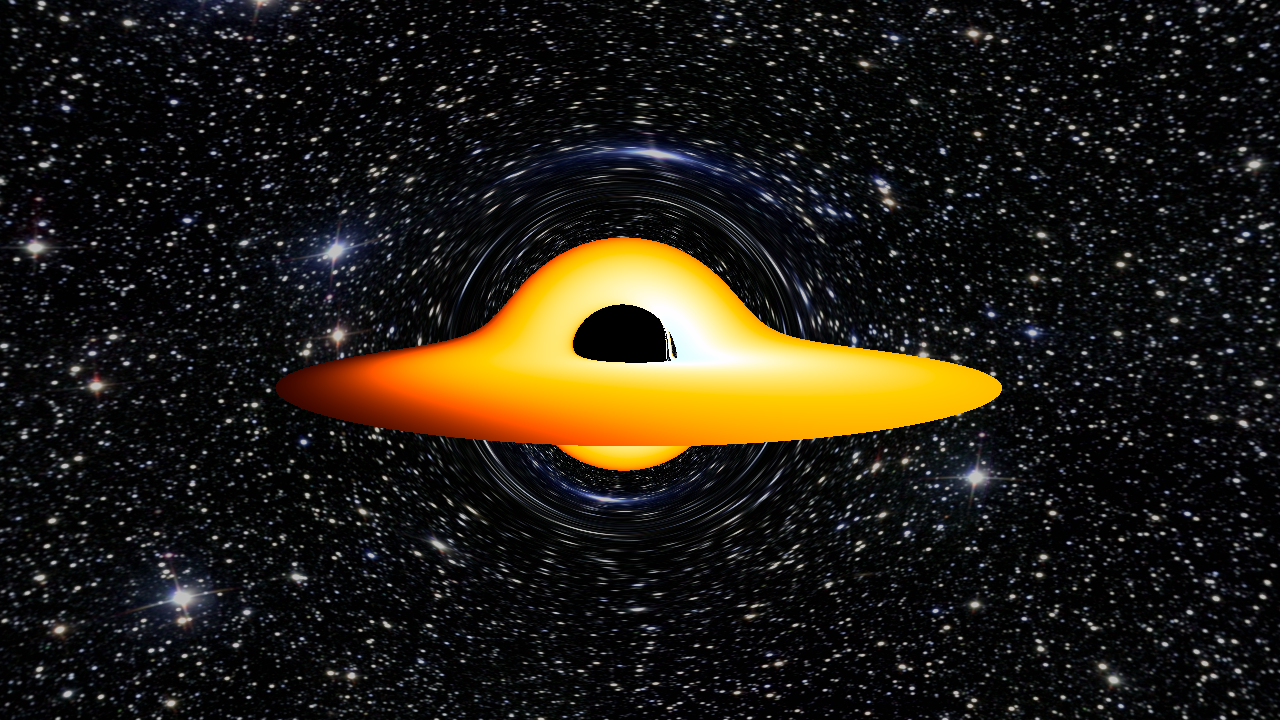
Figure 4: Render of a Kerr Black Hole
The visible distortion of the accretion disk, where the part behind the black hole appears to be bent up and over it, is a direct visual consequence of gravitational lensing.
The background image is Messier 25 from Wikimedia Commons.

The next post digs into why straight lines aren’t so straightforward in curved coordinates and how that motivates the geodesic equation: Straight Lines in Curved Coordinates.